



Ford Edge car radio code
$9.90 TTC
Find your Ford Edge car radio code
Introduction – How to retrieve your Ford Edge car radio code?
We help you find your Ford Edge car radio code 7 days a week, 24 hours a day!
Is your Edge car radio faulty? Is it asking you for a PIN code? And you do not know how to find the Edge car radio code? How can you retrieve the Ford Edge car radio code using the serial number printed on the back of the radio?
After a battery failure or a technical fault!
To find the Ford Edge PIN code free of charge, you can check your service booklet if the previous owner noted it down.
Otherwise, we can provide you with the original Ford Edge car radio code by email and/or SMS!
1 – How do you find the serial number of a Ford Edge car radio?
How do you find the M or V serial number for a Ford 6000 CD?
Press buttons 1 and 6 or 2 and 6 at the same time to display the serial number beginning with M + the 6 digits or V + the 6 digits on the LCD screen of a Ford Edge.
If this does not work, you must remove the Edge radio from the dashboard in order to find the serial number printed on the label on the back of it.
2 – How do you enter the Ford Edge car radio code?
You can enter the Ford Edge car radio code when you see four horizontal lines flashing on the screen.
If the word “wait” appears on the Ford screen, you will need to leave the radio switched on for up to 2 hours to allow the Ford Edge radio to reset.
If “LOCK 10” appears, hold down button 6 with the radio switched on. This will give you three additional attempts to enter the correct Ford Edge car radio code.
If, on the contrary, you see “LOCK 13”, then you have used up all the entry attempts and will no longer be able to enter your Navara PIN code. You will then need to consult a Ford dealer.
- First, switch on the FORD radio
- You should see CODE _ _ _ _
- Press 1 repeatedly for the first digit of your code
- Press 2 repeatedly for the second digit of your code
- Press 3 repeatedly for the third digit of your code
- Press 4 repeatedly for the fourth digit of your code
- Once your radio code is displayed on the screen
- Press button 5 to confirm.
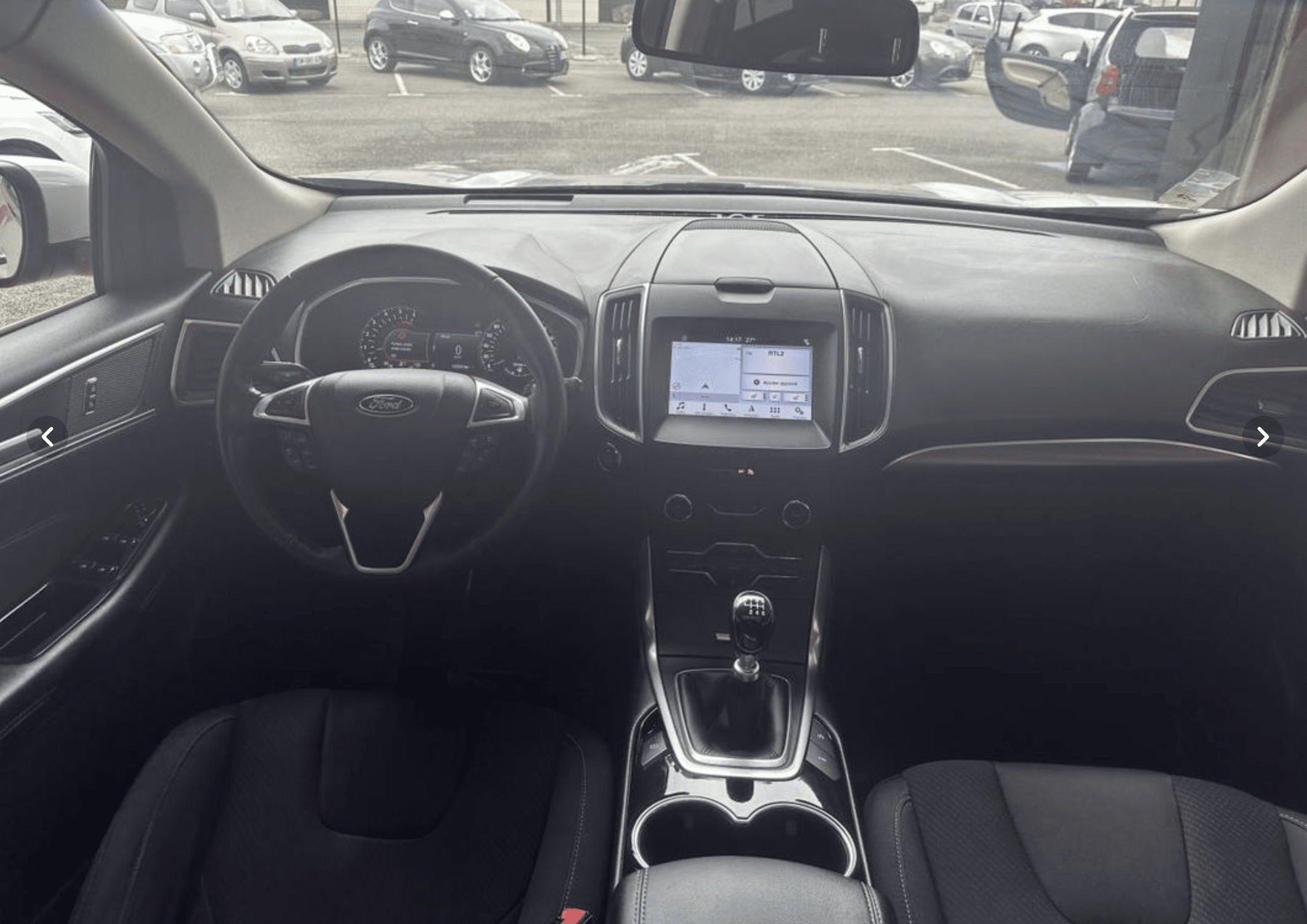
3 – Learn more about the Ford Edge radio
Discover the Ford Edge, an SUV that combines elegance, performance and technology to offer you an unparalleled driving experience. Designed for those seeking a versatile and spacious vehicle without compromising on style, the Edge stands out with its bold design and dynamic lines.
Under the bonnet, you will find a powerful and efficient engine capable of taking you anywhere with confidence and agility. The Ford Edge is equipped with EcoBoost technology, which optimizes fuel consumption without sacrificing performance. In addition, its intelligent all-wheel drive ensures exceptional road holding, whatever the weather conditions.
4 – Ford Edge car radio code FAQ
How do you find the car radio code for a Ford Edge?
To obtain the car radio code for your Ford Edge, you must first locate the serial number of the car radio, which is usually found on a label stuck to the back of the unit or in the vehicle handbook. Then, you can use an online service or contact the Ford dealer to obtain the code using this serial number. Make sure you have your vehicle VIN number to hand, as it may also be required to retrieve the car radio code.
The simplest solution is to use our unique online service Code-Autoradio.com available 7 days a week, 24 hours a day, with ultra-fast code delivery.
5 – Find the car radio code for other Ford models
- Ford B-Max car radio code
- Ford C-Max car radio code
- Ford EcoSport car radio code
- Ford Galaxy car radio code
- Ford Ka car radio code
- Ford Kuga car radio code
- Ford Mondeo car radio code
- Ford Puma car radio code
- Ford Ranger car radio code
- Ford S-Max car radio code
- Ford Transit car radio code
- Ford Focus car radio code
- Ford Fiesta car radio code
code autoradio Edge gratuit
Code autoradio Ford Gratuit
code autoradio Edge vidéo
Additional information
| MPN | RADIOCODEFORDEDGE |
|---|---|
| Brand | Ford |


